A field guide to the CrazyGames build
How to play
This build has no tutorial, no keybind screen and no instruction beyond a headphone icon. This page is the control scheme, worked out by pressing things.
What you do
| action | how | what it does |
|---|---|---|
| advance dialogue | click the small arrow in the dialogue box | prints the next line; text also types out on its own |
| move along the room | click the grey arrow at the left or right edge | steps one screen left or right |
| interact | click the person or the object | opens their dialogue, or a close-up of the object |
| skip the opening | click CLICK TO SKIP INTRO during the animatic | cuts the intro short |
| close a close-up | click the X at the top of it | returns you to the room |
| mute | the speaker icon at the top right of the canvas | toggles sound |
That is the whole scheme. There is no inventory bar, no cursor mode, no right click, and no numbered choice menu that we have found — conversation replies appear as ordinary text lines in the same box.
The arrows are the room
The diner is several screens wide, and the arrows are how you see it:
- screen 1: the counter and Maggie
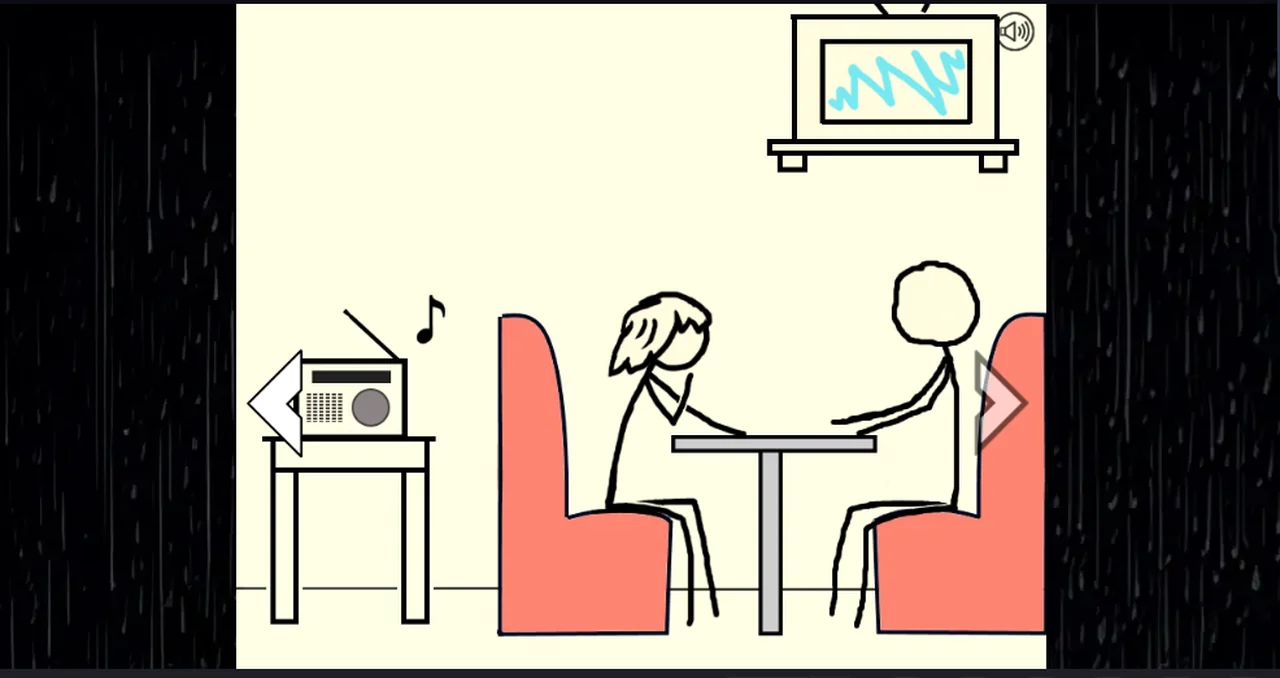
- screen 2: the counter on the left, the radio on its side table, the red booth on the right
- screen 3: Edith and Ethan facing each other
- screen 4: Juan alone at a table, with an empty booth in front of him
An arrow appears only when there is a screen in that direction, so the edges of the room can be found by looking for a missing arrow.
What nothing tells you
- that the goal line at the top left is the objective, not decoration
- that clicking a person's body is how you talk to them — there is no highlight and no hover cursor change we could see
- that the booth you sit in is decided by the story, not by your click: both guests refuse you with their own line
Not tested
- whether a keyboard shortcut advances dialogue (Space and Enter were not enough to prove either way)
- whether a controller works
- whether the arrows respond to the scroll wheel
- what the game does if you click the same person twice in one screen
Last checked against the client: 2026-11-06 · client web build 2026-11-06